
EdXplore Admin Panel
Sole designer (93 screens) and frontend engineering lead (5 junior devs) for EdXplore's multi-portal EdTech platform — 4-role RBAC, 8-step institute onboarding wizard, 5-state content lifecycle, B2B SaaS billing.
My Role
Admin Panel Designer + Frontend Engineering Lead
Duration
3 months
Year
2023
Tools
Figma · React 18 · TypeScript · MUI v5 · styled-components
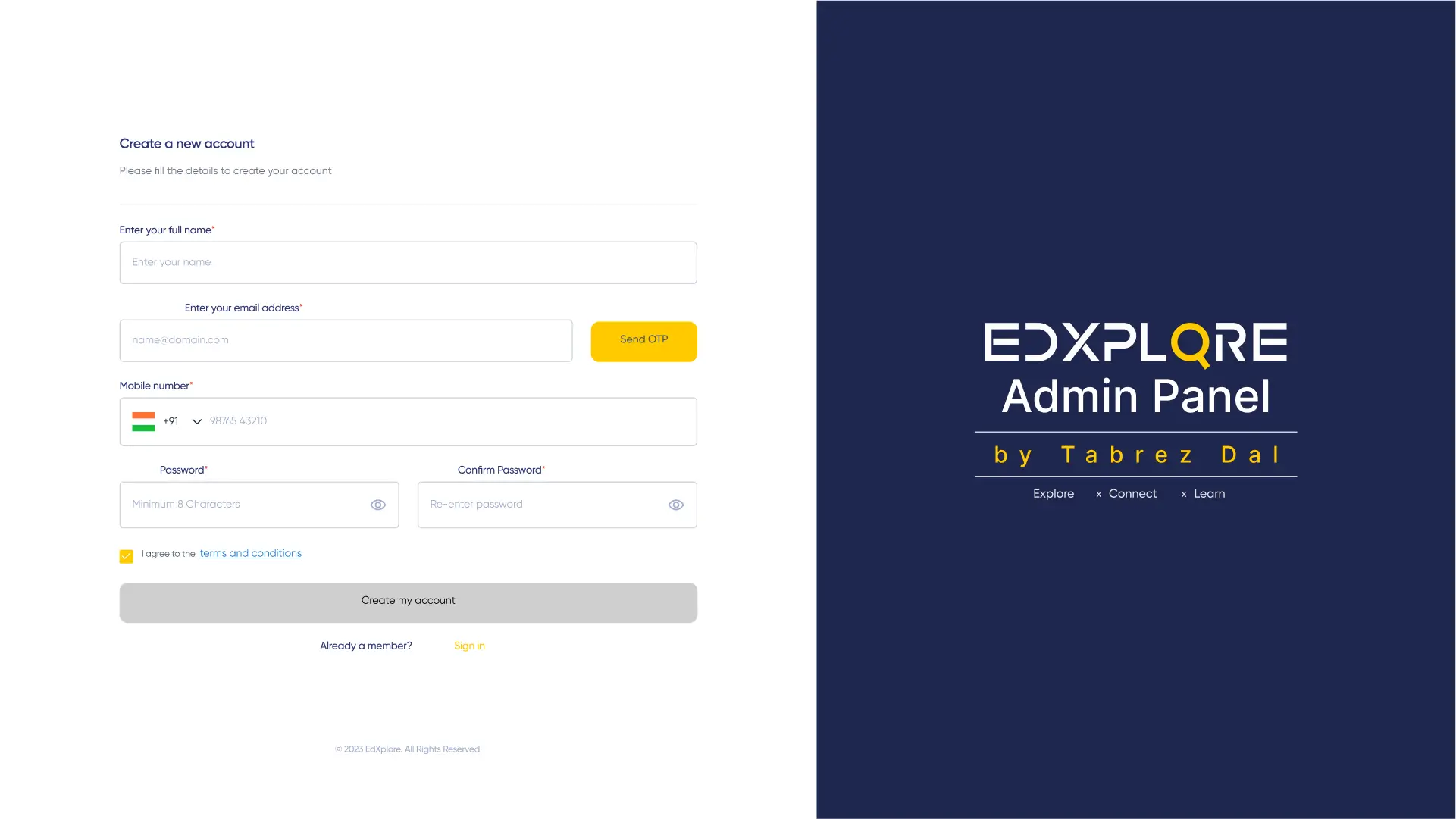
Project Brief
Design India's leading EdTech skilling platform admin panel end-to-end — and simultaneously lead a 5-person junior development team — delivering multi-role institute management, 8-step onboarding wizard, course publishing, and B2B SaaS subscription billing.
Sole designer (93 screens) and frontend engineering lead (5 junior devs) for EdXplore's multi-portal EdTech platform — 4-role RBAC, 8-step institute onboarding wizard, 5-state content lifecycle, B2B SaaS billing.
Platform Architecture
4 portals. 1 engineering team. Dual-role ownership.
Sole designer on both admin panels. Frontend engineering lead directing 5 junior developers across the full 4-portal system.
Admin Panel (Desktop)
Platform Administrators
End-to-end solo ownership — design, React implementation, and QA
Admin Panel (Mobile)
Field Officers — on-site approvals
Mobile-first experience designed for one-handed field use
User-Facing Portal
Students discovering institutes
Design by another Zerozilla designer — Tabrez led 5 devs on implementation
Platform Homepage
New visitors
Design by another Zerozilla designer — Tabrez led team implementation
My Ownership Breakdown
The Problem
500 institutes. Managed over email. No audit trail. India's leading skilling platform was approving training institutes via email threads.
EdXplore managed hundreds of verified training institutes, trending courses, and B2B subscriber accounts — all through email chains, spreadsheets, and a basic CMS. Institute onboarding required 8 stages of data collection with no structured flow. Admin users had different operational needs but no RBAC system.
No structured institute onboarding
Institute approval required collecting Profile, Business Details, Staff, Centres, Financials, Documents, Listing, and Consent via email — 8 data categories, no form flow.
No role-based access control
Super Admin, Admin, Content Admin, Partner — all using the same interface. Financial data visible to content editors.
No content lifecycle system
Course and institute content had no approval workflow — published, pending, draft, and rejected states managed via email.
No mobile admin for field officers
Field officers visiting institutes on-site had no mobile interface — all deferred to desktop back at the office.
UX Audit
What was broken before we redesigned
A heuristic evaluation of the existing system identified these critical issues before any design decisions were made.
Email-based institute approval
No structured intake form, no audit trail, no status visibility for institute applicants or admin reviewers.
Process GapFlat permission model
Content Admin and Super Admin saw identical navigation with identical action capabilities.
RBAC GapNo content state management
Published content and draft content looked identical to admins — no visual differentiation between live, pending, and rejected.
Workflow GapOur approach: Wizard, RBAC, and lifecycle in 3 months
8-step institute onboarding wizard, 4-role RBAC with adaptive sidebar navigation, 5-state content lifecycle (Published → Approval Pending → Verification Pending → Update Pending → Drafts), and a mobile admin panel for field officers. Simultaneously led 5 junior developers implementing the full 4-portal system.
Process & Approach
How I approached the challenge
User Research
8 administrator interviews — mapped daily workflows: institute onboarding, course publishing, subscription management, and field officer tasks.
RBAC Architecture
Defined 4 roles (Super Admin, Admin, Content Admin, Partner) with permission matrices. Sidebar navigation adapts per role.
8-Step Wizard Design
Profile → Business Details → Staff → Centres → Financials → Documents → Institute Listing → Consent. Independent validation, partial-save, and resumable progress per step.
93-Screen System
Admin Panel Desktop (73) + Mobile (20). Content lifecycle, bulk CSV import with error preview, data tables, Razorpay subscription billing, report generation.
Engineering Leadership
Led 5 junior developers on the user portal and homepage. Code reviews, architecture decisions, sprint planning — while solo-building the admin panel simultaneously.
Design Principles
Design for the admin who knows what institute onboarding costs
Every screen decision was tested against the real operational cost of getting it wrong at scale.
Wizard beats form
8-stage onboarding as one long form would have 40%+ abandonment. Progressive disclosure across 8 steps with partial save makes complex data collection manageable.
RBAC as information architecture
Each role's sidebar isn't a permission flag on the same menu — it's a distinct information architecture. Super Admin and Content Admin need different mental models.
5 content states, all visible
Published, Approval Pending, Verification Pending, Update Pending, Drafts — each with distinct visual status and clear next action. Admins should never need to ask 'what's the status?'
Design and engineering together
Leading 5 junior devs while solo-designing meant every design decision had to be immediately translatable to React 18 + MUI v5. Design-engineer fluency was the job.
Leading a junior dev team while designing solo is its own design problem. Every decision has two audiences: the admin user and the developer implementing it.
Why This Was Hard
Complexity signals
What set this project apart from standard product design work — the technical, systemic, and domain-specific challenges that demanded real depth.
First confirmed engineering leadership
Sole designer on the admin panels AND frontend engineering lead directing 5 junior developers on the user portal — context-switching between design critique and code review daily.
Multi-role RBAC system
Super Admin, Admin, Content Admin, and Partner — each with adaptive sidebar navigation and scoped action set. A single mis-permission was a live platform risk.
8-step institute onboarding wizard
Profile → Business Details → Staff → Centres → Financials → Documents → Institute Listing → Consent — with independent validation, partial-save, and resumable progress.
5-state content lifecycle
Published → Approval Pending → Verification Pending → Update Pending → Drafts — state transition rules, audit trail, and notification triggers per path.
Bulk CSV import with error-row preview
Importing 500+ institute records: parse → highlight error rows inline → All/With Errors/Without filter tabs → confirm → import.
Solo designer. Engineering team lead. Four portals. Three months. Shipped to India's leading B2B EdTech platform.
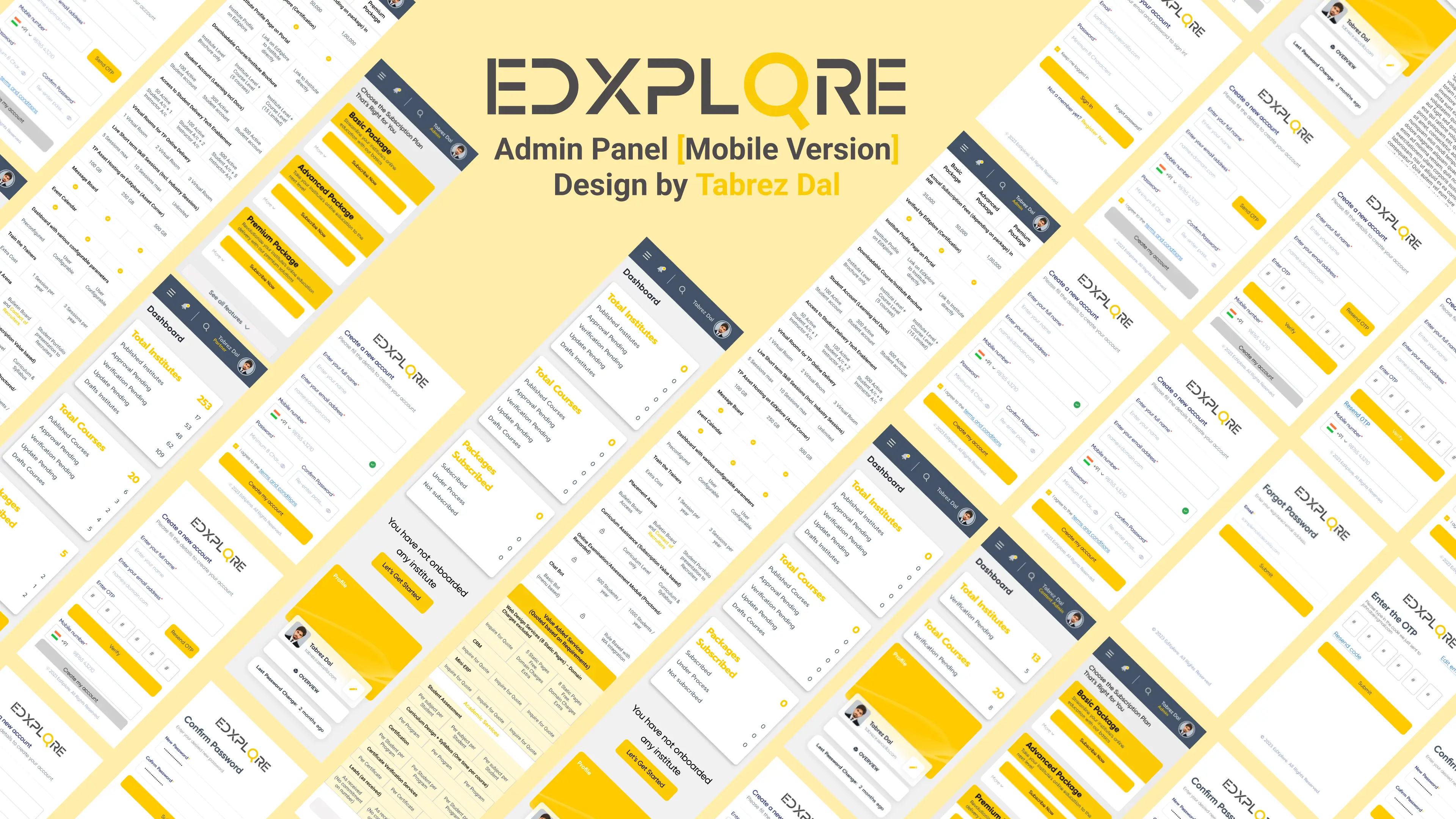
UI Screens
Desktop + Mobile Admin Panel
93 screens designed solo — 73 desktop + 20 mobile admin.

Feature Highlights
Admin panel capabilities
8-Step Institute Onboarding
Profile → Business → Staff → Centres → Financials → Documents → Listing → Consent — partial-save and resumable progress per step.
Core Feature4-Role RBAC Navigation
Super Admin, Admin, Content Admin, Partner — each with a distinct adaptive sidebar. RBAC as information architecture, not a permission flag.
Admin UX5-State Content Lifecycle
Published → Approval Pending → Verification Pending → Update Pending → Drafts — visual differentiation and next-action CTAs per state.
Workflow DesignBulk CSV Import
Drag-and-drop → parse → error-row highlight inline → All/With Errors/Without filter → confirm → import. Handles 500+ institute records.
Enterprise UXDesign System
Tokens, typography & components
A shared token-based system built to ensure consistency across every screen and state.
Color Tokens
Type Scale
Components
User Flow
Institute approval flow
Admin Login
Role-based SSO
Institute List
500+ records
Review Profile
8-step data
Approve/Reject
Instant update
Auto-Notify
Email triggered
Tech Stack
Tools & technologies
Design
Frontend
 React 18
 TypeScript
 MUI v5
 styled-components
My Contribution
Dual-role ownership
01
Admin Panel Designer + Developer
Sole designer and developer for 93-screen admin panel (desktop + mobile). Full ownership from user research through React 18 implementation and QA.
02
Frontend Engineering Lead
Led 5 junior developers implementing the user portal and homepage — code review, architectural decisions, sprint planning, and unblocking.
Impact & Performance
Project at a glance
93
Screens designed (admin)
4
Portals in system
5 devs
Team led
8
Wizard steps
Timeline
3 months: research through 4-portal delivery
Month 1
Research + Admin Panel Design
8 admin interviews, RBAC architecture, 8-step wizard UX, content lifecycle. 73 desktop screens designed.
Month 2
Mobile Admin + Engineering Start
20 mobile admin screens. Led junior devs on user portal setup. Began admin panel React implementation.
Month 3
Full Engineering + QA
Admin panel: completed React 18 solo. User portal: led team to delivery. QA across all 4 portals.
Outcomes
The impact we shipped
Measured results from usability testing, stakeholder reviews, and post-launch adoption tracking.
93
Screens designed (admin)
4
Portals in system
5 devs
Dev team size
8
Wizard steps
"Delivered EdXplore admin panel (93 screens) and led frontend engineering for the full 4-portal system — 8-step wizard, 4-role RBAC, 5-state content lifecycle, mobile field officer panel — within a 3-month agency engagement."
Learnings & Reflection
What I'd do differently
01
Engineering leadership is a design problem
Directing 5 junior devs while solo designing required constant translation between design intent and implementation reality. The skill is knowing which design decisions are negotiable under engineering constraints.
02
Validate data models before designing screens
The institute table was redesigned twice after discovering the backend data model didn't support some filter combinations. API contract before screen contract.
Interested in working together?
Let's talk about your project or open role.
Live Prototype
Explore the Figma design